

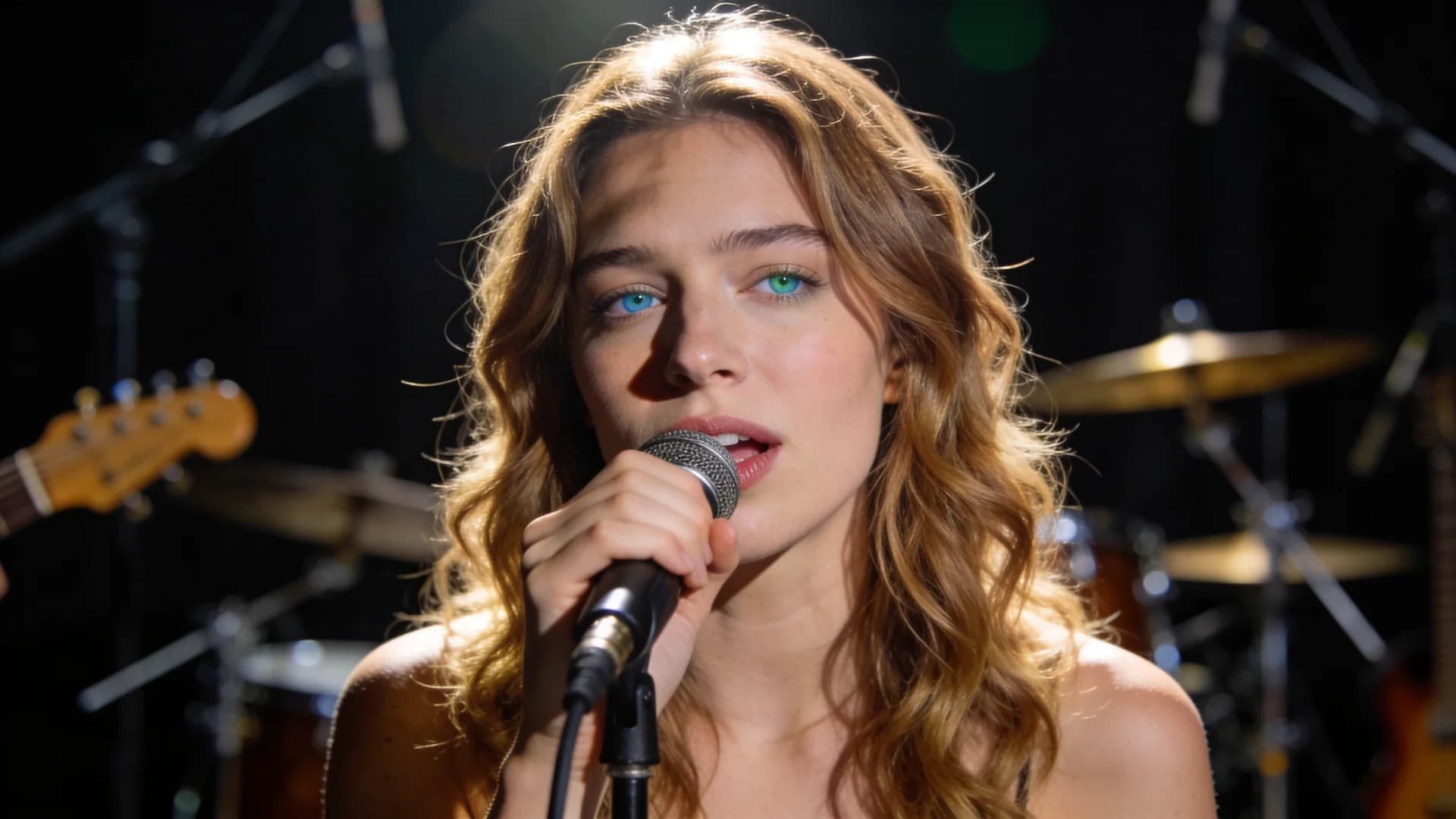
YOUR SUNO SONG. A NEW STAGE.
Suno Music Video Generator
Give your Suno song a face and a performance. Bring it into CAVN AI, choose a digital artist and turn your favorite part into a singing music video.
Explore the creator first. Review credits before generating.
Singing performances made with CAVN AI
Keep the audio you already like. Add the artist, framing and lyric subtitles for your next release.
INSPIRED BY TIKTOK
TikTok styles to inspire your next MV.
Find your next performance idea. Bring your own song and AI singer to CAVN AI and make it yours.
TikTok counts recorded on 2026-09-18. Not live.
SEE THE PERFORMANCE
A voice deserves a face.
Explore singing MVs from the CAVN AI showcase. These demonstrate the visual output; they are not presented as songs generated with Suno.
Colors Bright and Bold
Digital artist: July
Perfect
Digital artist: Mateo
Flowers
Digital artist: Ava Carter
FROM SONG TO SCREEN
How to turn a Suno song into a music video
CAVN AI makes an on-screen singing performance from your audio and artist images. You choose the performer and the part of the track before creating the video.
- 01
Bring your song
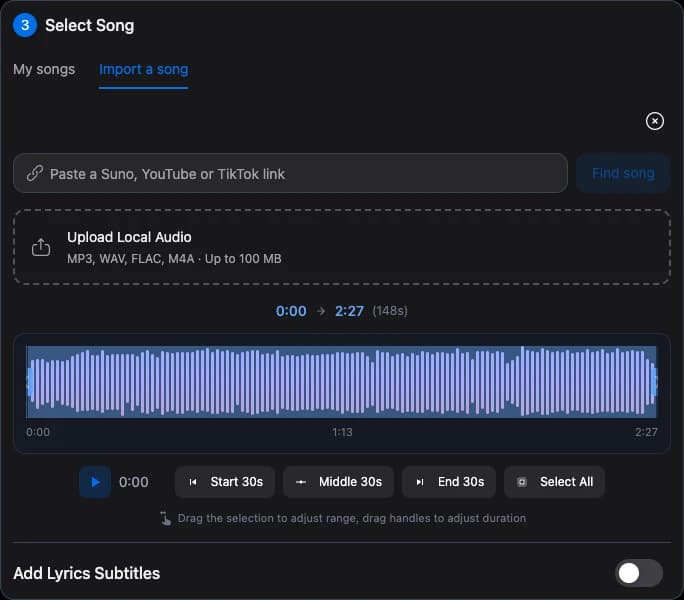
Open the MV creator, go to Select Song and choose Import a song. Paste a public Suno song or share link. Once the audio is ready, it replaces the demo in the waveform. You can also upload an MP3, WAV, FLAC or M4A file up to 100 MB.
- 02
Choose the performance
Pick a digital artist or create one from a portrait you have permission to use. Select the artist images and use the waveform to choose the section of your song. Start with the chorus, a hook or another moment you want people to remember.
- 03
Generate your MV
Choose the model and resolution, then review the credit estimate. Sign in when you are ready to generate. Once the task is confirmed, follow its progress in MV History and download the finished video.
YOU DIRECT THE DETAILS
Music video settings: audio, singer and subtitles
Build a performance around the sound you have already made, with deliberate choices at each step.
Choose the part that matters
Use the existing waveform editor to audition and trim the song. Make a focused release teaser or a longer singing performance without generating the music again.
Put your artist in the frame
Choose the performer and portrait or landscape artist images. The selected images define the visual material for the lip-sync performance.
Style your lyric subtitles
Add timed LRC lyrics, then adjust the subtitle style, size and position. Lyrics imported as plain text remain a reference; they do not automatically become synchronized subtitles.
Know the cost before creating
Importing a link does not create a paid MV task. Generation uses credits based on your clip, model and resolution, with an estimate shown before submission.
Start with your Suno song
What you need to turn a Suno song into a video
- A Suno song or share link you can access, or an audio file you can upload.
- An artist portrait or a digital artist selected in CAVN AI.
- A timed LRC file if you want lyric subtitles. Subtitles are optional.
Link not available? Keep creating.
Some songs cannot be retrieved because of access restrictions or temporary network issues. Upload an audio file you are allowed to use instead. A failed import leaves your current song in place.
Start with your songFAQ
Suno to music video, explained.
How do I make a music video for a Suno song?
Open CAVN AI's MV creator and choose Import a song in the song section. Paste your Suno link or upload audio, choose a digital artist and artist images, then select a clip in the waveform. Review the generation settings and credit estimate before creating the MV.
Do I need to download my Suno song first?
Not for a supported public link. CAVN AI can retrieve the audio into your browser and open it in the waveform. If the link is unavailable, use the local audio upload option. Link access and media availability can change.
Does this make a singing MV or a lyric video?
This page opens the singing MV workflow: your audio drives a performance using selected digital artist images. Timed lyric subtitles are optional. CAVN AI also has a separate lyric-video workflow, linked below.
Are Suno lyrics automatically synchronized?
No. When available, imported plain lyrics are kept as a reference. Singing MV subtitles need timed LRC lyrics. You can review the text and adjust subtitle appearance in the creator.
Is making a Suno music video free?
You can explore the creator and import a supported link before generating. MV generation uses credits. Check the displayed estimate and your account's current plan before submitting a task.
Can I use the result for a release or social post?
You can download completed MVs and publish them where appropriate. Use songs, portraits and other material you have permission to use, and check the terms that apply to your Suno audio and CAVN AI plan. Importing a song does not change its usage rights.
Is CAVN AI affiliated with Suno?
No. CAVN AI is an independent product. Suno is mentioned here to describe the source of a song you can use in the music-video workflow.
YOUR SUNO SONG. A NEW STAGE.
Give your next song a performance.
Bring your Suno track into CAVN AI and choose how it appears on screen.
Create your music videoCAVN AI is an independent product, not affiliated with Suno.